
Configure an agent
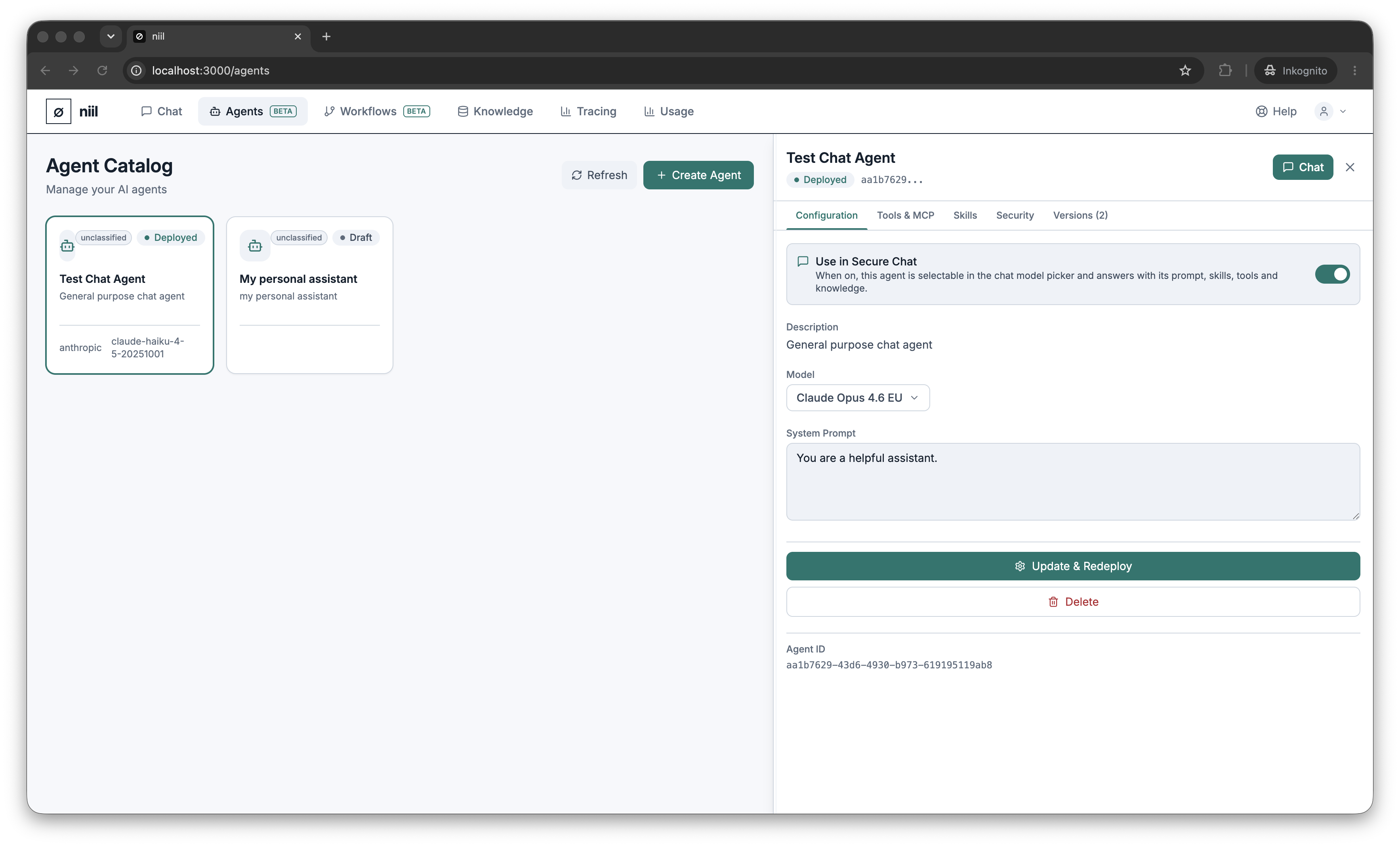
Open an agent and use the Configuration tab.
Model
Pick the agent's model from your organization's catalog. The same residency rules as chat apply — only EU-processed (or self-hosted) models are offered when the EU-only policy is on. Choose a capable model for complex reasoning, a faster one for high-volume simple tasks.
System prompt
The system prompt is the agent's standing instructions — its role, tone, rules and priorities. Write it as if briefing a new colleague: what the agent is for, what it should and shouldn't do, and how to format answers.
Save, configure, deploy
- Save / Configure stores your changes. If the agent is already deployed, it is re-deployed automatically so the new configuration takes effect.
- Deploy promotes a draft agent to active so it can be used in chat and workflows.
- Delete removes the agent.
Use in Secure Chat
Toggle Use in Secure Chat (or press Chat with this agent) to make the agent selectable in the chat model picker. See Chatting with an agent.