
Chatting basics
Secure Chat is the home screen. It's a fast, multi-model chat where everything you send and receive is encrypted at rest and processed on EU (or self-hosted) models.
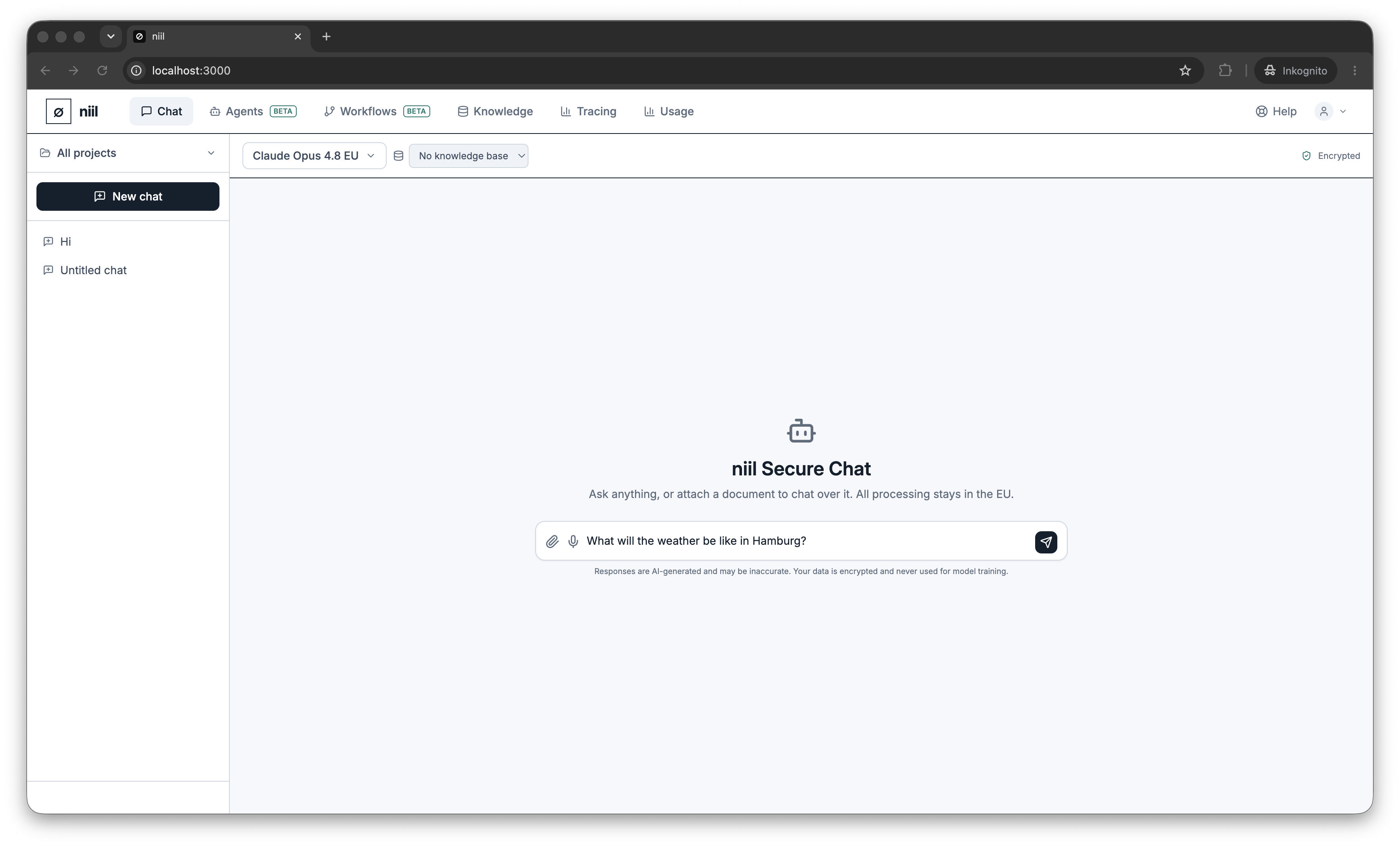
Start a conversation
- Click New chat in the sidebar (or just start typing).
- Type in the composer and press Enter to send; Shift+Enter adds a new line.
- Responses stream in. Each reply shows which model answered.
Message actions
Hover a message to copy it, or have it read aloud (see Voice input & output). Assistant replies show the tools used (if any) and the model or Auto selection that produced them.
Conversation history
Your past conversations are listed in the sidebar, newest first. Click one to reopen it; delete one with the trash icon (you'll be asked to confirm).
Projects
Group related chats into projects (workspaces). Use the project switcher at the top of the sidebar to create a project, rename it, and keep each project's conversations separate. New chats are created inside the currently selected project.
What's encrypted
The shield/"encrypted" indicator in the chat header is a reminder that message content, titles and uploaded documents are encrypted at rest. Read how in Encryption.
Next
- Choosing a model — pick a model or let Auto decide.
- Files & knowledge — ground answers on your own material.
- Canvas & artifacts — work with generated documents and code.