
Tools
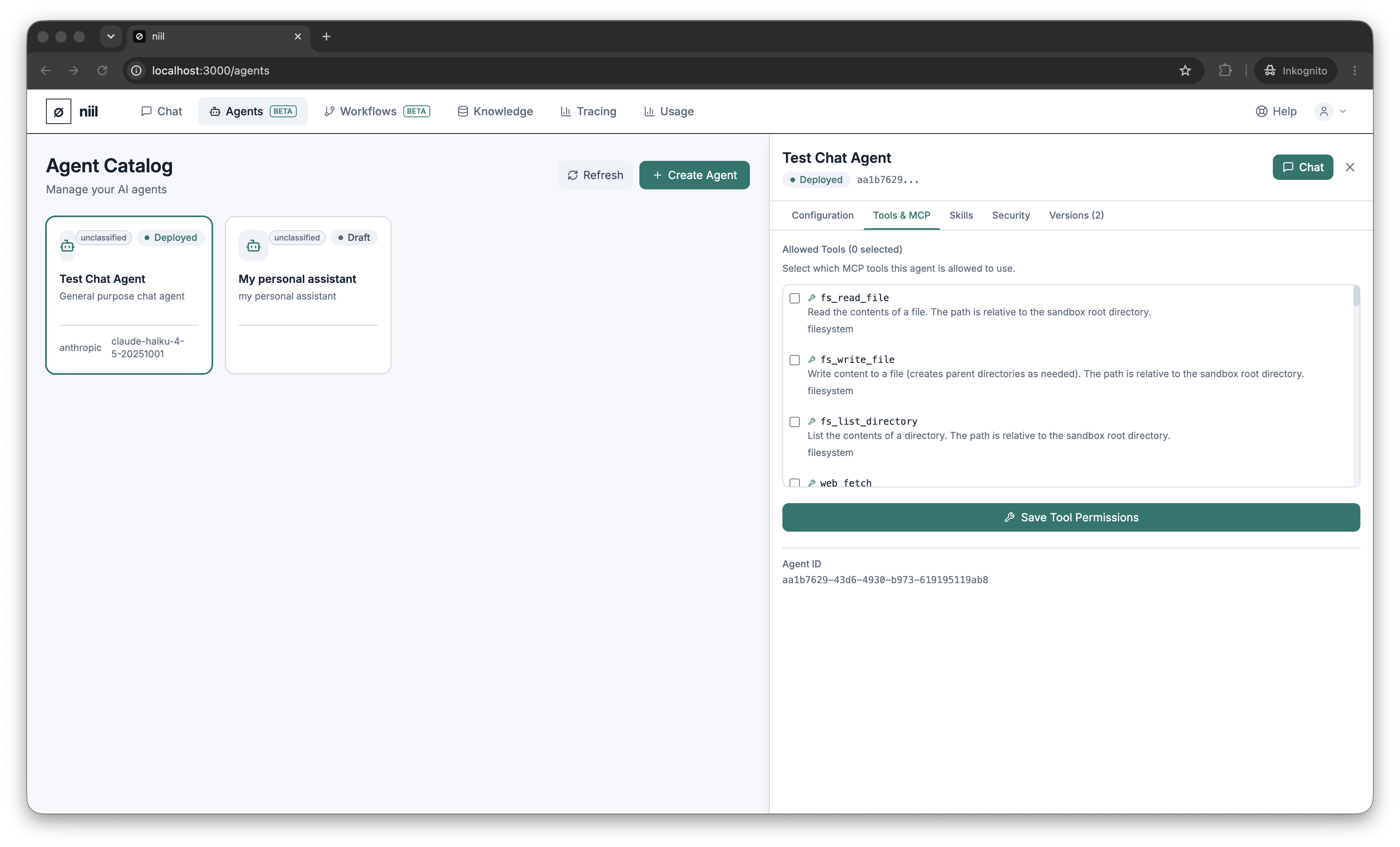
Tools let an agent do things beyond generating text — fetch a web page, run code, query a database, send an email, post to Slack, and more. niil ships with a set of built-in tools; some external integrations become available once your organization configures a connection.
Grant tools
On the Tools tab, tick the tools the agent is allowed to use and save. The agent can only ever call tools you've granted here — an allow-list, not a free-for-all. The tools you enable appear as badges on the agent.
How tool use works
When the agent runs, it decides when to call a granted tool, niil executes the call in its own runtime, and the result feeds back into the agent's reasoning. Tool inputs and outputs pass through niil's DLP scanning.
Tools need the runtime
Tool use runs in niil's runtime. If the runtime is unavailable, a tool-using turn fails with a clear message rather than quietly answering without its tools.
See No external vendors for the full list of built-in tools and how they're hosted.