
Choosing a model
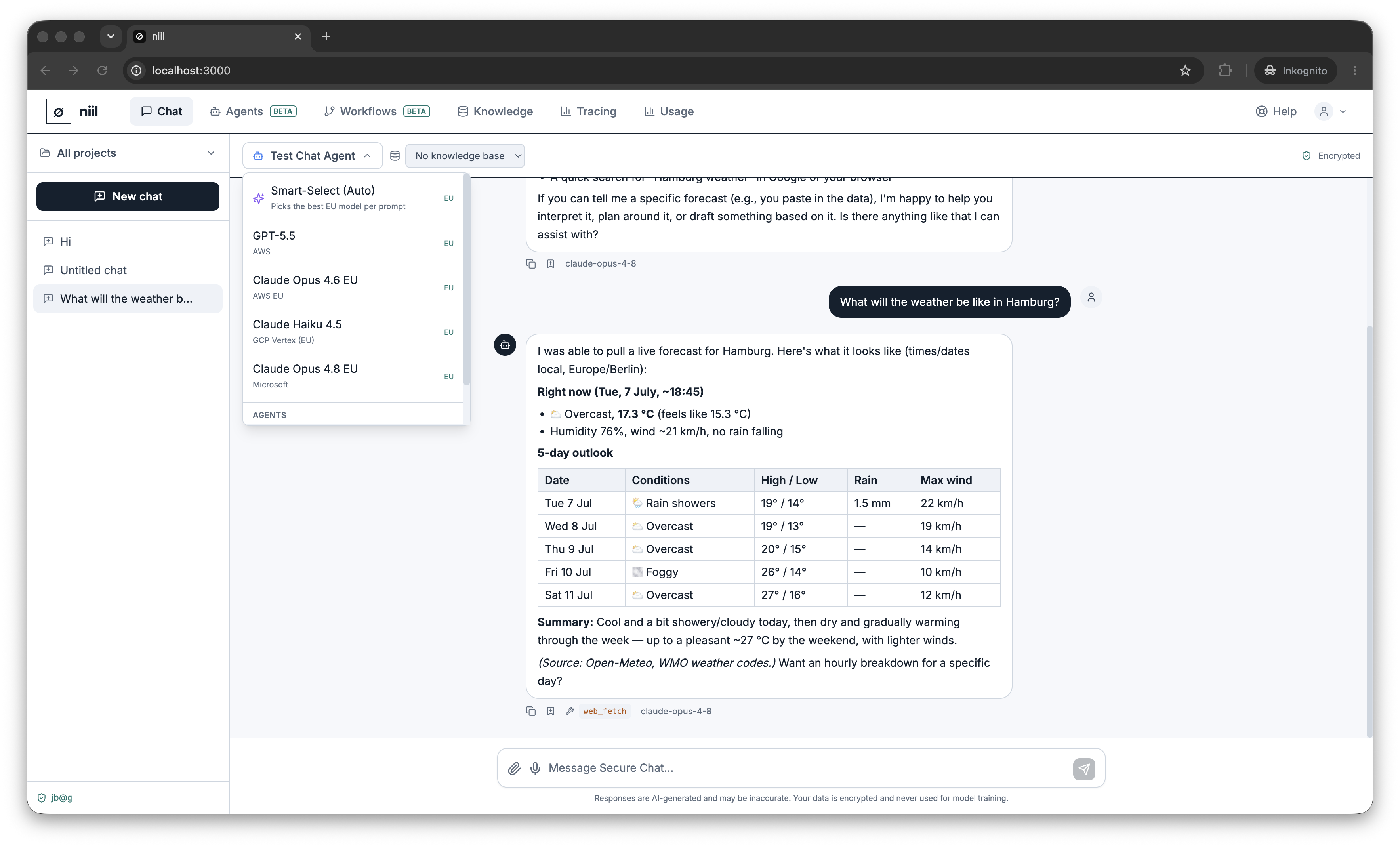
Open the model picker at the top of the chat to choose which model answers.
Smart-Select (Auto)
Auto is the default. It looks at your prompt and routes it to the most suitable available model — a fast, cheap model for simple asks, a stronger model for hard ones — always staying within your organization's residency policy. Pick Auto when you don't want to think about model choice.
Picking a specific model
Every model in the list shows:
- its name and provider/processor (e.g. "Azure OpenAI (Sweden)", "GCP (EU)"),
- an EU marker for EU-processed models,
- a Zero Data Retention indication where applicable (see Zero Data Retention),
- whether it's available (a model needs its provider configured to be usable).
Deployed agents that have been enabled for chat also appear here — see Chatting with an agent.
Residency: why some models aren't shown
When your organization's EU-only models policy is on (the default), the picker only offers EU-processed or self-hosted models, and non-EU models are blocked. This is set per organization under Organization → Security, and explained in EU sovereignty & residency.