
The canvas
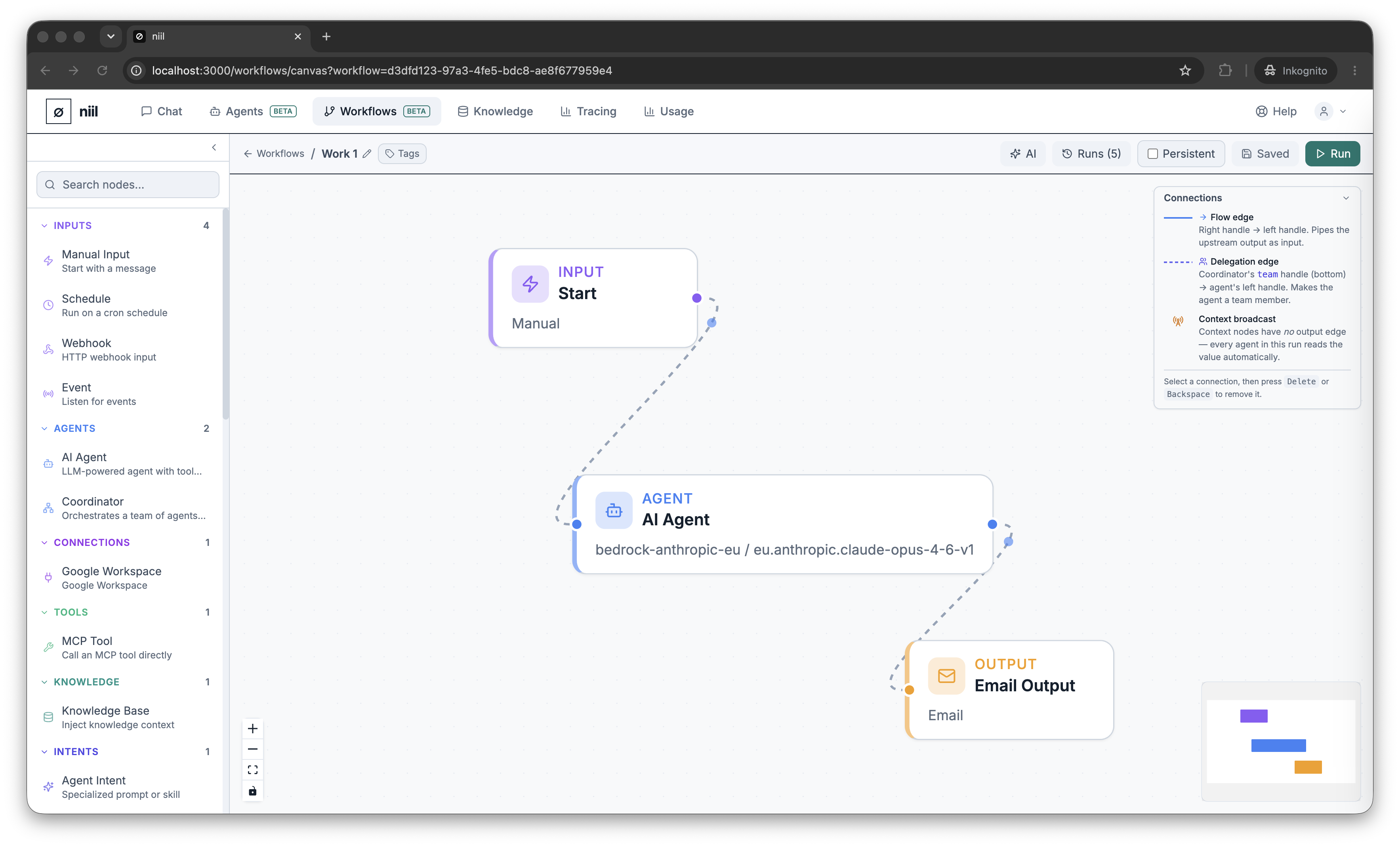
The canvas is where you build a workflow by placing nodes and connecting them with edges.
Building blocks
- Nodes are steps: a trigger, an agent, a tool, a coordinator, an output action, and more. See the node types reference.
- Edges connect a node's output to the next node's input, defining the flow.
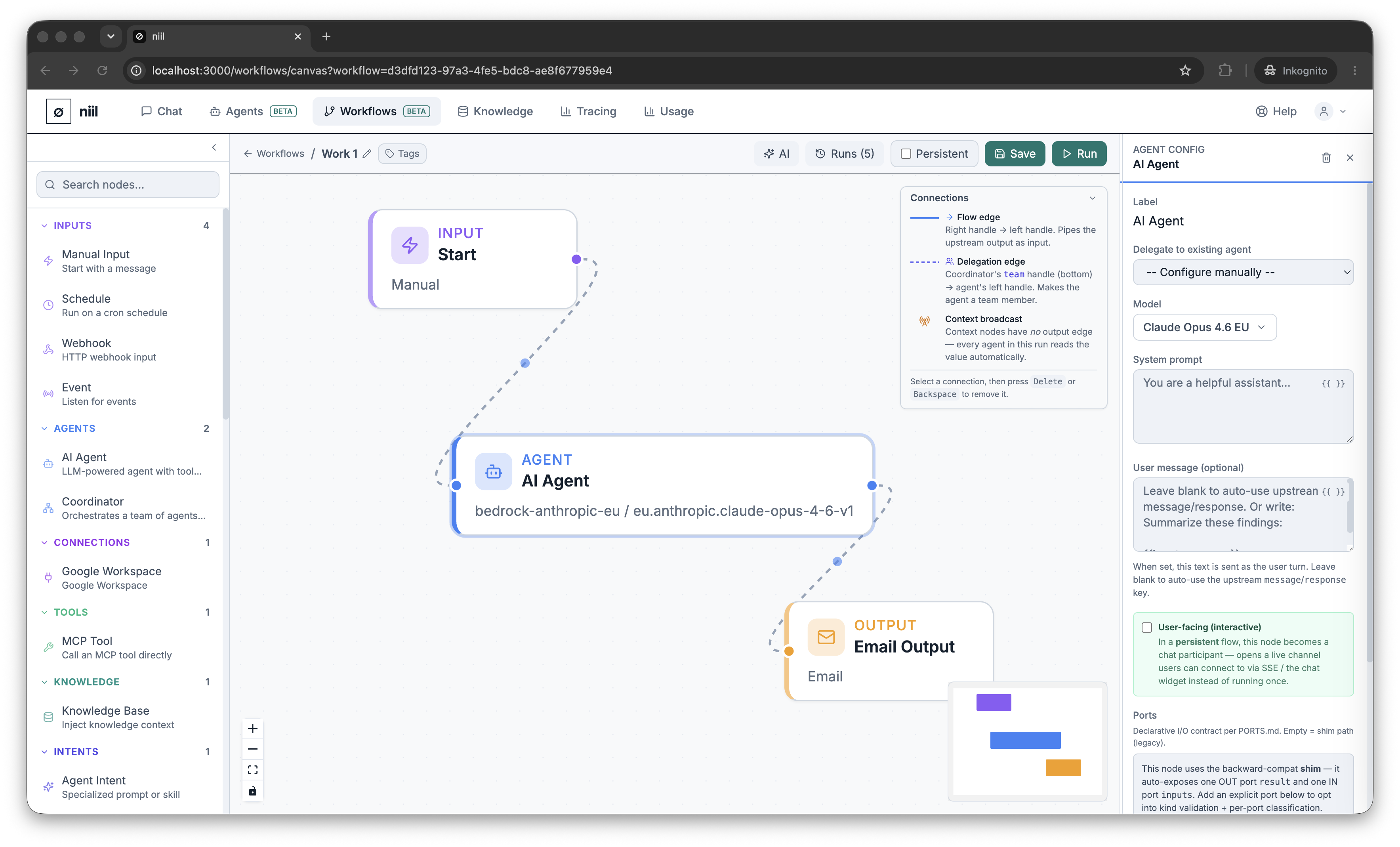
- The node config panel opens when you select a node, letting you set its options (for an agent node: the model, prompt, tools; or link it to a deployed agent).
Add, connect, configure
- Add a node from the palette.
- Drag from one node's handle to another to create an edge.
- Select a node to configure it in the side panel.
Save & Persistent
Save stores the workflow. The Persistent toggle in the toolbar marks a workflow as long-running — required for interactive workflows where an agent keeps chatting with a user instead of running once and finishing.
Run it
Press Run to execute the workflow and watch it in the run inspector — see Running a workflow.