Node types
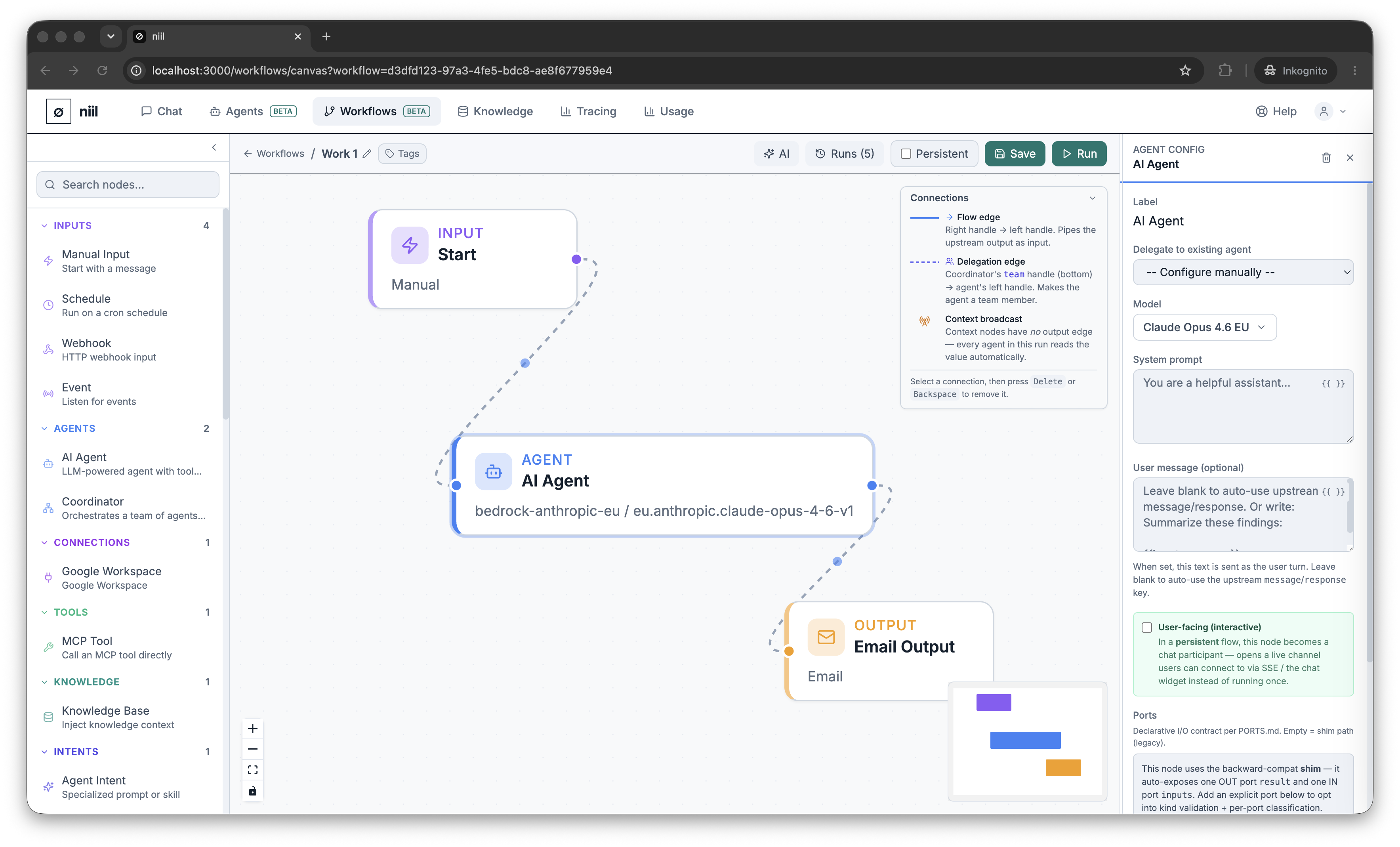
Nodes are the building blocks of a workflow. Here's what each one does.
| Node | What it does |
|---|---|
| Trigger | Starts the workflow — manually, on a schedule, or from an incoming event/webhook. |
| Agent | Runs an AI agent — either configured inline (model + prompt + tools) or linked to a deployed agent. |
| Coordinator | A lead agent that delegates sub-tasks to team agents and synthesizes their results. See Agent orchestration. |
| Tool | Calls a single tool directly (without an agent's reasoning loop). |
| Knowledge | Retrieves relevant context from a knowledge base to feed downstream steps. |
| Action / Output | Delivers a result — send an email or Slack message, call a webhook, write a file. See Outputs & connections. |
| Conditional | Branches the flow based on a condition. |
| Transform | Reshapes data between steps (mapping fields, formatting). |
| Policy | Applies a guardrail — an approval gate, a rate limit, or a content filter — before the flow continues. |
| Context | Holds a shared document that agents in the flow can read (and a coordinator can update). |
| Note | A comment on the canvas; no effect at runtime. |
Edges
Most edges carry data from one node to the next. Delegation edges (dashed) are special: they connect a coordinator to its team agents and define who it can delegate to, not data flow. See Agent orchestration.