
Agent orchestration
A coordinator is a lead agent that chats with you (or receives a task), delegates sub-tasks to a team of specialist agents, collects their results, and returns a single aggregated answer. This is how you build multi-agent teams in niil.
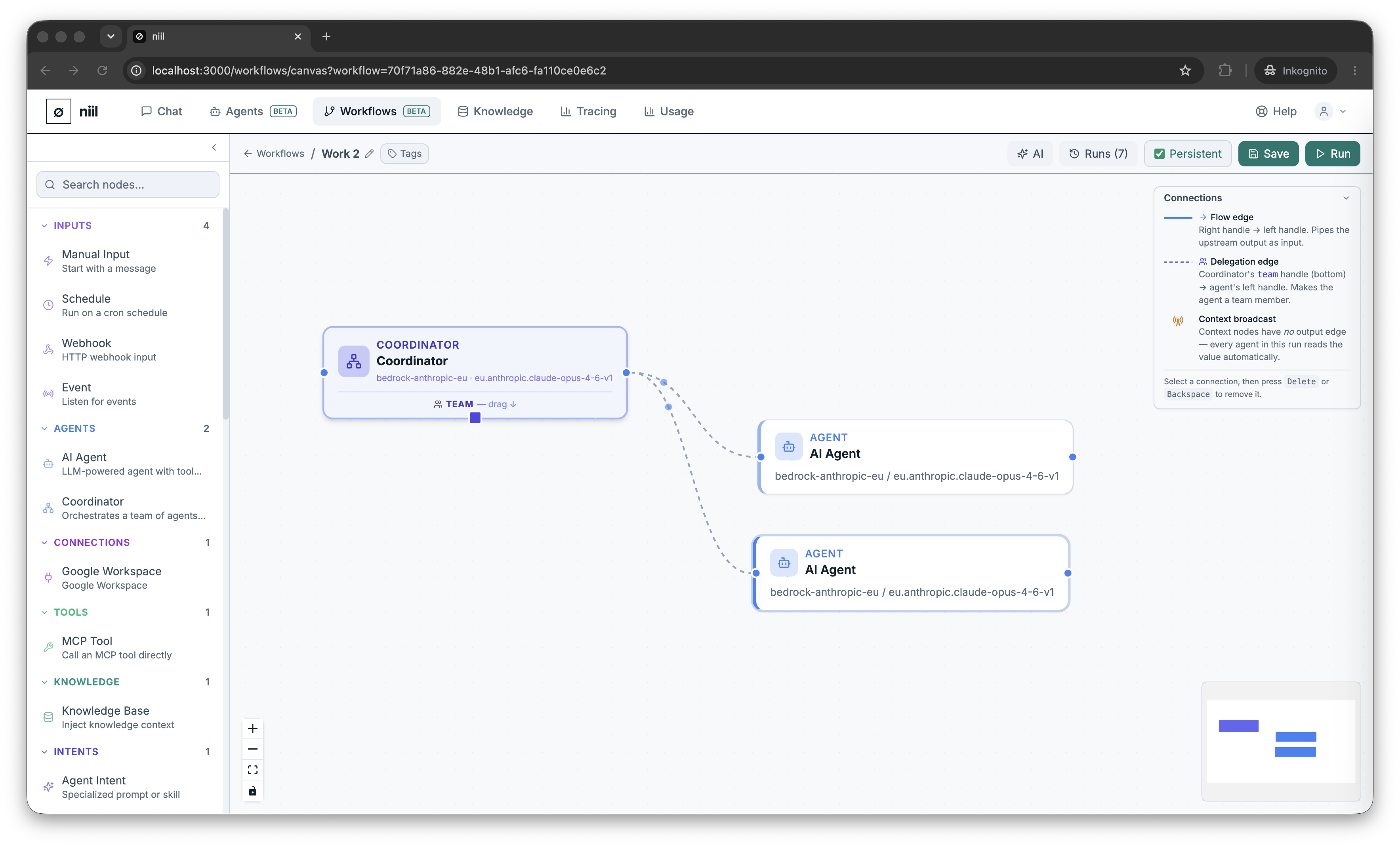
How delegation works
The coordinator's team is defined by delegation edges — drag from the coordinator's team handle to each agent node you want on the team (they draw as dashed lines). At run time the coordinator gets a delegate action per team member, calls them as needed, and synthesizes their outputs into its reply. Team members can be deployed agents or agent nodes configured inline on the canvas.
Build it
- Add a Coordinator node. Give it a system prompt describing the team and the goal (the default already says "delegate sub-tasks, then synthesize").
- Add one Agent node per specialist. Configure each with its own model and prompt, or link it to a deployed agent.
- Draw a delegation edge from the coordinator's team handle to each agent.
- To chat with the coordinator live, turn on the coordinator's Interactive option and the workflow's Persistent toggle (toolbar).
- Save, then Run.
Two ways to run it
- One-shot — leave Interactive off, give the coordinator a task (via a Trigger or its input), and Run. The coordinator delegates, aggregates, and the result appears as its node output in the run inspector.
- Interactive — with Interactive + Persistent on, chat with the coordinator in the live conversation panel. Each message you send triggers a fresh round of delegation and an aggregated reply.
Where the sub-agents' work shows up
Sub-agent replies are internal results the coordinator consumes — they don't appear as separate chat messages. You see the coordinator's aggregated answer in the conversation, and each sub-agent's individual contribution in Tracing.