
Interactive workflows
An interactive workflow keeps an agent (often a coordinator) running as a live chat participant, so you — or a colleague you share a link with — can talk to it during the run.
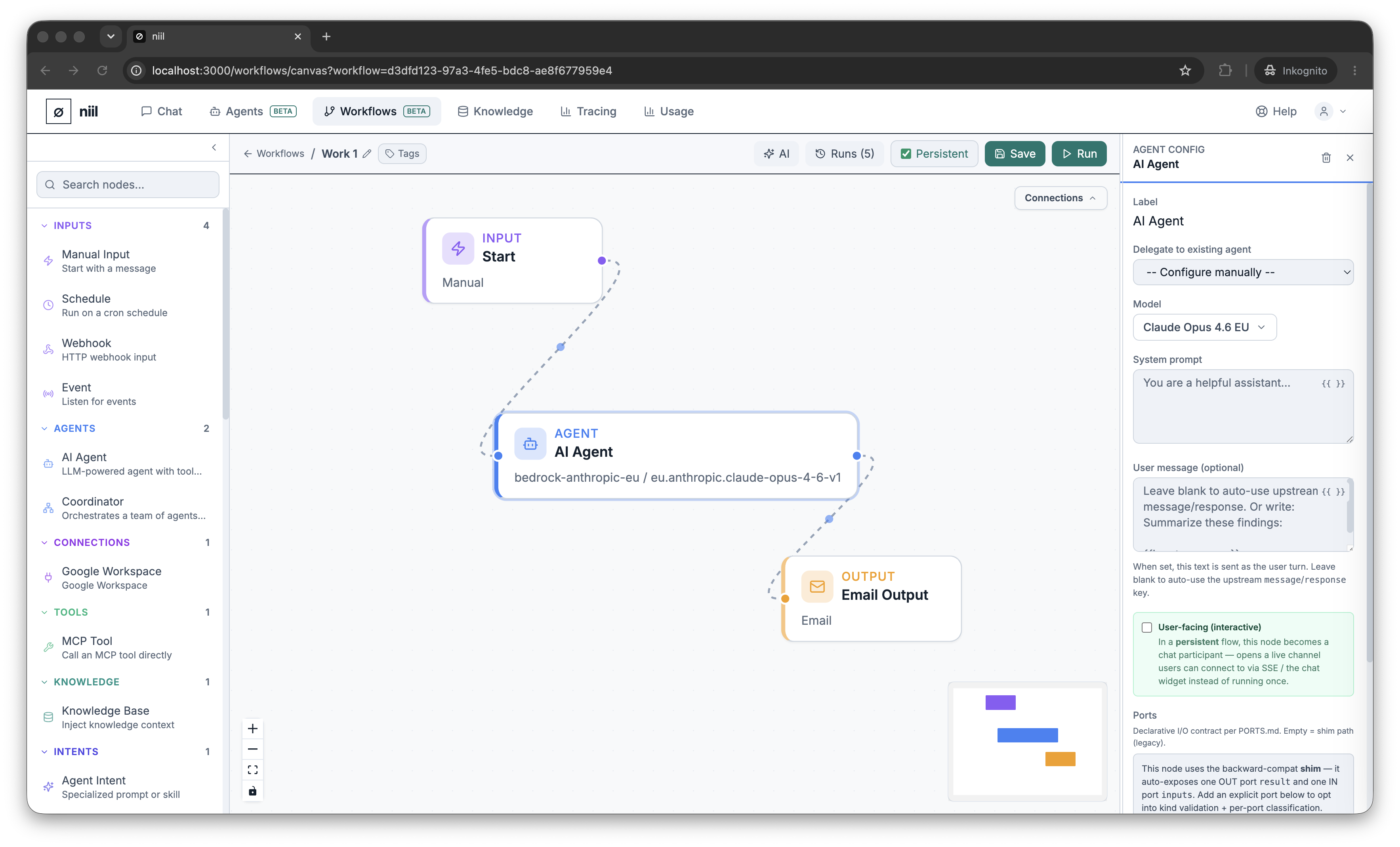
Enable it
- On the agent/coordinator node, turn on Interactive (optionally set a greeting shown when the chat opens).
- Turn on the workflow's Persistent toggle (toolbar) so the run stays alive instead of finishing after one pass.
- Save and Run.
Chat on the canvas
When the run starts, a Live Conversation panel appears in the run inspector. Type a message and the agent responds in real time; a coordinator will delegate to its sub-agents and reply with an aggregated answer.
The greeting isn't the task
On an interactive agent, the greeting is just the opening line — the agent then waits for you. Send a message to kick things off. If you want a hands-off, one-shot run instead, turn Interactive off and give the coordinator its task directly (see Agent orchestration).
Share a chat link (widget)
You can mint a shareable link that opens the conversation in a standalone chat widget — handy for letting a colleague interact with the workflow without opening the canvas. The link carries a signed, time-limited access token scoped to that one conversation.