
Connections & integrations
Org-admin
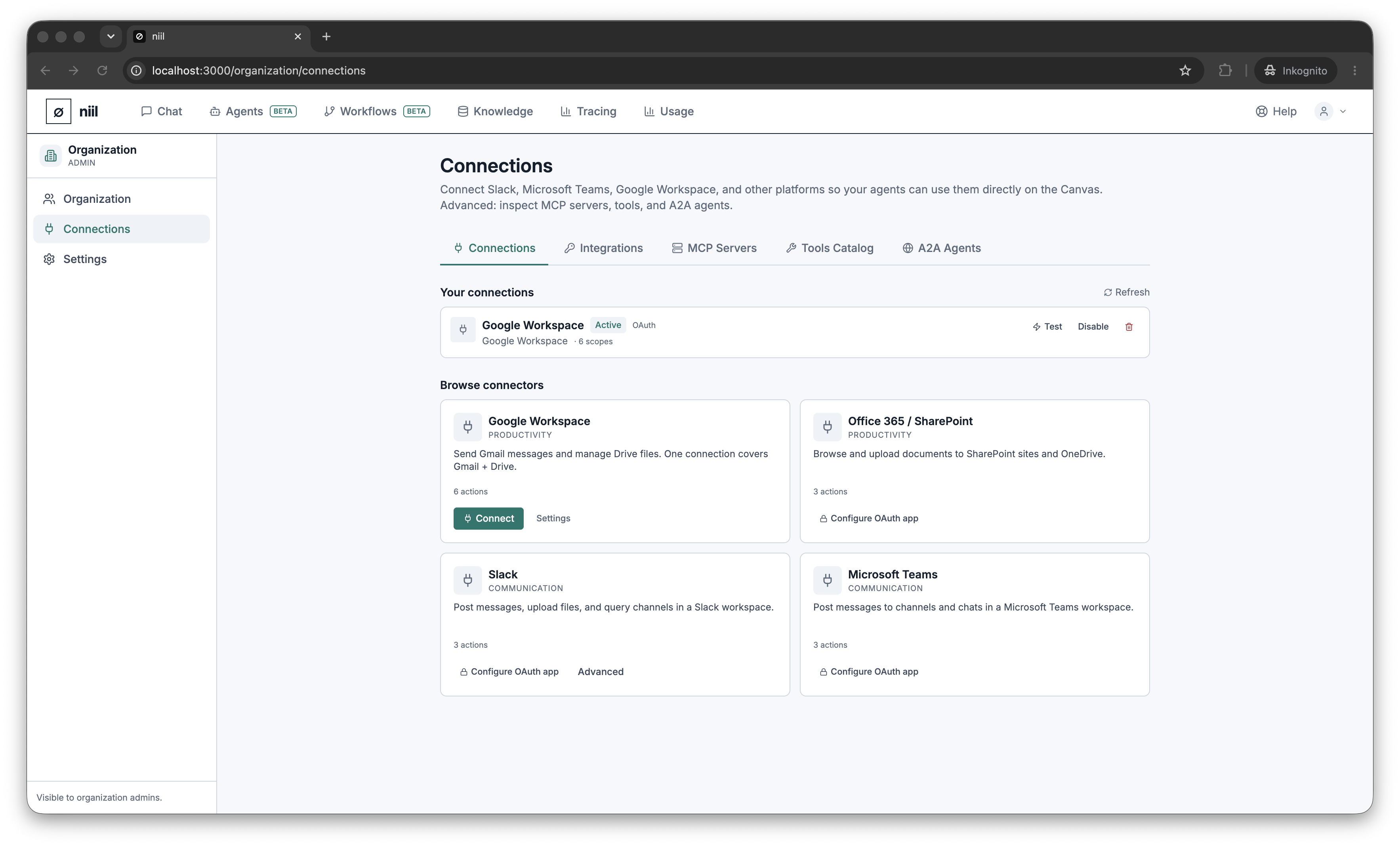
Connections are managed by organization admins under Organization → Connections.
Connections let niil act on your behalf in external systems (post to Slack, send Gmail, browse SharePoint) and extend the toolset available to agents and workflows.
What you can manage
- Connections — link external services (e.g. Slack, Google Workspace, Microsoft Teams / Office 365). Add, test, and remove them. Credentials are stored encrypted (Encryption).
- Integrations / OAuth apps — authorize and manage the OAuth apps that back those connections and their granted scopes.
- MCP servers — register additional tool servers by URL and see the tools they expose.
- Tools — browse every tool available to your organization and where it comes from.
- A2A agents — register external agents (agent-to-agent) your workflows can call.
How connections are used
- Agents call the tools a connection provides once you grant them on the agent's Tools tab.
- Workflow outputs deliver through a chosen connection — see Outputs & connections.
Connecting a service authorizes niil to use it with the credentials you provide; those credentials never leave niil unencrypted and are not exposed in workflow nodes.